

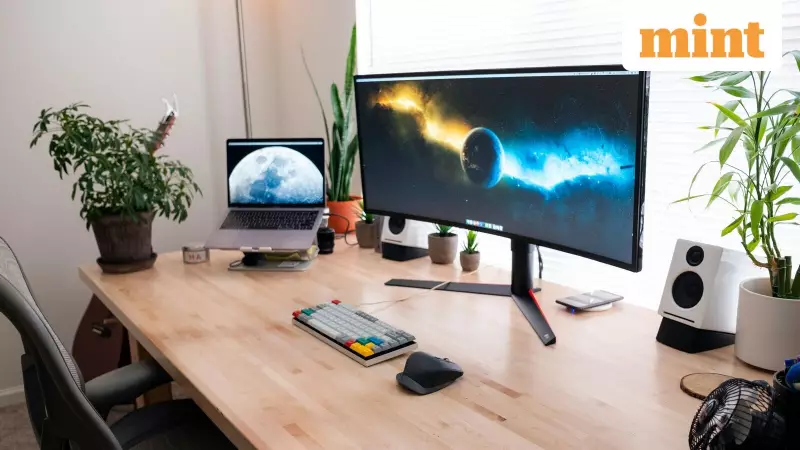
For many tech enthusiasts and professionals in India, curved monitors represent the pinnacle of immersive computing. Marketed as a natural upgrade from flat screens, they promise a viewing experience that wraps around your vision, reducing fatigue and pulling you into the content. Yet, a common complaint echoes across homes and offices: the expensive screen doesn't feel right. It can seem awkward, even tiring, making users wonder if the investment was a mistake.
The truth is, the monitor itself is rarely the problem. The issue almost always lies in how it is positioned and used. A curved display is an ergonomic tool, and like any precision tool, its effectiveness depends entirely on correct setup. Ignoring factors like viewing distance, desk depth, and ambient lighting can completely negate the benefits you paid for.
The Golden Rules: Distance and Height for Perfect Posture
Getting the most from your curved screen starts with two fundamental adjustments: viewing distance and monitor height. Every curved monitor is designed with a specific curvature radius, which dictates how far you should sit from it. Sit too close, and the curve appears exaggerated, distorting the edges and straining your peripheral vision. Sit too far, and the immersive effect vanishes, making it feel no different from a flat panel.

The ideal distance allows the screen to gently envelop your field of view. This creates a more uniform focal plane, meaning your eyes don't have to constantly refocus when looking from the center to the edges. The result is significantly less eye fatigue during long work or gaming sessions.
Equally critical is height alignment. The center of your curved display should be at your natural eye level when you are seated upright. A monitor placed too high forces your neck to tilt back, stressing the upper spine. One placed too low makes you hunch forward, leading to shoulder and back pain. Proper vertical centering ensures light from all parts of the screen reaches your eyes evenly, enhancing clarity and minimizing visual distortion.
Creating the Right Environment: Desk and Lighting
Your desk setup plays a surprisingly major role. A shallow desk often forces you into the "too close" zone, making the curve feel aggressive. A deeper desk allows you to maintain the recommended distance while keeping a relaxed posture. Position the monitor slightly back from the edge to give your arms room and enable subtle posture shifts.
Lighting is another make-or-break factor. Due to their inward curve, these monitors can be more susceptible to distracting reflections if lights are poorly placed. Strong overhead lights or a window directly behind you are common culprits, creating glare that moves as you do. The solution is soft, ambient lighting placed behind or to the side of the monitor. This reduces harsh contrast between the bright screen and a dark room, allowing your eyes to adapt comfortably and improving perceived image quality.
For multi-monitor warriors, alignment is key. Multiple curved screens should form a continuous, smooth arc. If they meet at sharp angles, the seamless panoramic effect is broken, and the ergonomic advantage is lost.
Harnessing the Curve for Comfort and Focus
When set up correctly, a curved monitor delivers on its core promise: reducing eye movement and strain. Because content is presented within a more natural arc, your eyes travel shorter distances when scanning spreadsheets, editing timelines, or comparing documents side-by-side. This is a major boon for productivity.
To fully gain this benefit, fine-tune your display settings. Ensure resolution and scaling are configured so text remains sharp without forcing your eyes to strain. Adjust brightness and contrast to suit your room's lighting; a screen that's too bright in a dim room is as tiring as one that's too dim. The goal is for the technology to disappear, allowing you to focus entirely on your task.
Ultimately, a curved monitor is not a plug-and-play miracle. It is a sophisticated piece of ergonomic engineering that demands thoughtful integration into your workspace. By mastering its placement and environment, you unlock the comfort, immersion, and visual clarity it was designed to provide, transforming your daily computer use from a chore into a seamless experience.






