

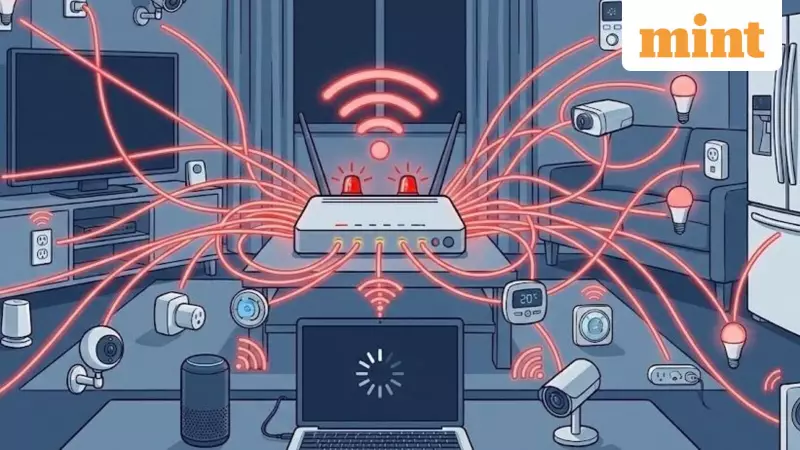
Picture this: your living room glows with smart bulbs, security cameras monitor every entrance, and voice-activated speakers stand ready to obey your commands. These devices promise seamless convenience, and they often deliver. But as these gadgets multiply on your home network, they bring unexpected problems that creep into your daily life.
The Silent Wi-Fi Killer in Your Home
Remember when your Netflix stream suddenly drops to lower quality or your Instagram feed takes extra seconds to load? Most Indian households immediately blame their internet service provider. However, the real culprit might be much closer than you think.
The truth is, your home Wi-Fi network is struggling under the weight of too many smart devices. Each smart bulb, plug, camera, and motion sensor constantly communicates with your router, creating a continuous stream of tiny data requests. While individual devices use minimal data, the collective impact of 20-30 devices can overwhelm older or budget routers.

The result manifests in frustrating ways: glitchy Zoom calls during work hours, sluggish file downloads, and mysterious dead spots in rooms that previously had perfect connectivity. Because these issues come and go unpredictably, most users don't connect them to their growing collection of smart home gadgets until the pattern becomes undeniable.
The Overlooked Security Threat
When we think about cybersecurity, we typically focus on phones, laptops, and online accounts. But every Internet of Things (IoT) device you add to your home represents another potential entry point for hackers.
Not all smart devices receive equal security attention from manufacturers. Many budget devices barely receive security updates after the first year, leaving them vulnerable. Cybercriminals might not care about controlling your smart lamp, but they desperately want access to your home network.
A single vulnerable device—even a forgotten smart plug behind your refrigerator—can provide that crucial foothold. Once inside, hackers can explore your entire network, attempt to snoop on your activities, or even use your router to launch larger attacks elsewhere. This security gap remains even if you maintain strong passwords and two-factor authentication on your primary devices.
When Smart Becomes Stupid: Device Behavior Issues
Random flickering lights, speakers disconnecting mid-song, smart plugs refusing to respond—these problems often appear as product defects. In reality, they frequently signal network congestion rather than hardware failure.
An overloaded router may drop connections without warning, especially when multiple IoT devices compete for priority. This becomes particularly problematic with older router firmware not designed for today's crowded smart home environments.
The most frustrating aspect is the lack of clear error messages. Unlike phones and laptops that provide specific error codes, most IoT devices offer no explanation when they malfunction. You're left guessing whether the problem lies with the device, your phone's app, or the network itself, forcing you through endless cycles of resets and reboots.
What begins as a quest for convenience transforms into a maintenance nightmare when all you wanted was a light that automatically turns on at 7 PM. The solution sometimes isn't another app or gadget but simplifying your setup by removing unnecessary devices or upgrading to a router designed for modern smart homes.






