

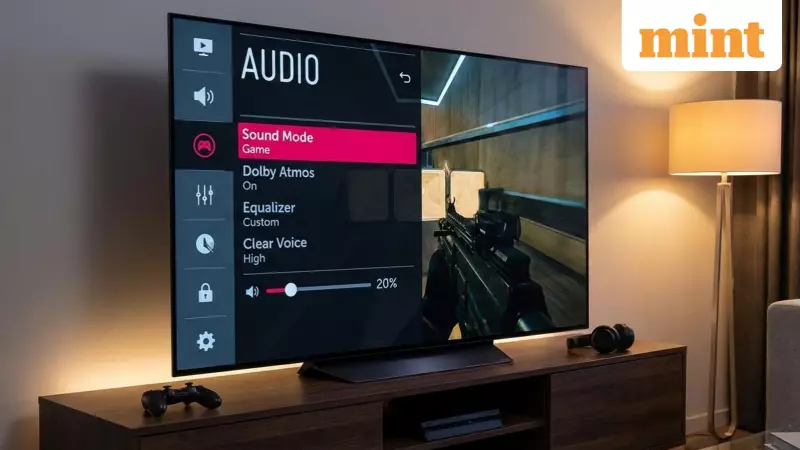
Do the speakers on your sleek, modern Android TV produce weak, tinny sound that ruins your viewing experience? You are not alone. The pursuit of ultra-thin, space-saving designs has often come at the cost of powerful built-in audio. However, transforming that underwhelming audio into rich, immersive sound is easier than you might think. Published on 17 December 2025, 06:02 PM IST, tech expert Amit Rahi, with over five years of gadget review experience, outlines straightforward solutions that can significantly enhance your TV's audio output.
Optimise Built-in Audio Settings for Immediate Improvement
The first and simplest step to better sound lies within your Android TV's own menu. Before investing in any external gear, explore the sound settings. Navigate to Settings > Sound > Audio Output on your TV. Here, you will often find audio presets like "Movie," "Dialogue," or "Clear Voice," designed to enhance specific types of content. The exact names may vary by brand, but their purpose is to tailor the sound profile.
For a quick volume boost, try disabling any bass boost feature, as reducing heavy bass can sometimes make the overall output louder and clearer. Crucially, enable the dialogue enhancer feature if available. This smart setting increases speech clarity by intelligently managing bass frequencies, making conversations in shows and movies much easier to understand. Many models also include a 5 to 7-band equaliser, allowing you to manually fine-tune treble, mid, and bass levels to your personal preference.

Use Sound Booster Apps with Caution
If tweaking settings isn't enough, the Google Play Store on your Android TV offers dedicated applications that can act as an external audio processor. One notable app is SoundWave Equalizer for TV, which is specifically designed for the Android TV platform. It provides advanced controls like a 10-band graphic equaliser, dedicated bass boost, and 3D sound effects for movies and games, offering a more customised audio layer.
While such apps can be effective, it is vital to proceed with caution. Always increase gain or volume boost settings gradually. Some apps lack proper failsafe mechanisms and can allow you to push the speakers beyond their safe limit, potentially causing permanent damage. The key is to enhance the sound subtly, not to max out every slider.
Upgrade to External Audio for Cinema-Quality Sound
For a definitive, 100% improvement in audio quality, the best solution is to bypass the TV's internal speakers entirely. Connecting an external soundbar or a home theatre system is the ultimate upgrade. These dedicated audio devices are engineered for clarity, depth, and power that a slim TV chassis can never accommodate.
You can connect them to your Android TV easily via HDMI (preferably ARC/eARC), optical cable, or Bluetooth. The benefit extends beyond just TV apps; any device connected to your TV, such as a gaming console or Blu-ray player, will also benefit from this powerful audio upgrade, creating a truly immersive entertainment hub in your living room.
In summary, weak Android TV audio is a common but solvable problem. Start by exploring and adjusting the built-in sound settings on your device. If you need more control, consider a reputable TV-optimised app like SoundWave Equalizer, but use it carefully. For a transformative experience, investing in an external soundbar or speaker system remains the most effective path to achieving rich, cinema-quality sound at home.






