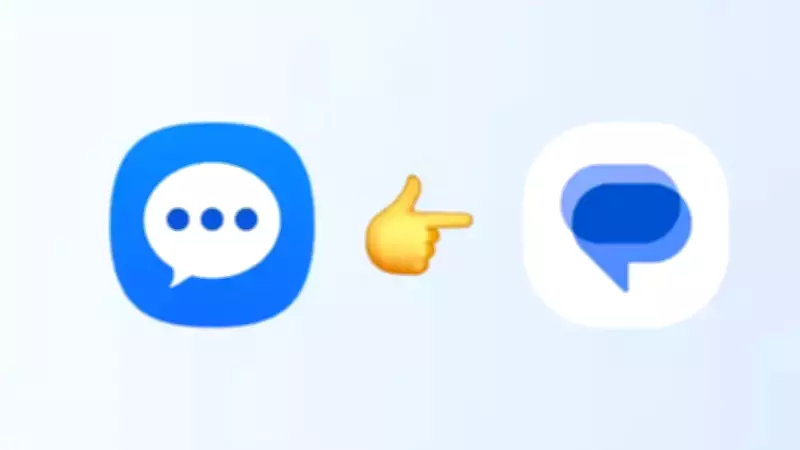
Samsung Announces End of Service for Its Default Messaging App in the United States
In a significant shift for Android users in the United States, Samsung has officially issued an "End of Service Announcement" for its proprietary Samsung Messages application. The Korean technology giant has confirmed that it will permanently discontinue this default messaging platform in July 2026, marking a strategic alignment with Google's messaging ecosystem on Android devices.
Mandatory Transition to Google Messages for Continued Texting Functionality
Samsung has explicitly stated that users will need to switch to Google Messages to maintain their ability to send and receive text messages after the discontinuation date. This move represents a consolidation of messaging experiences within the Android environment, as Samsung seeks to provide a more unified platform across its device portfolio.
In an official blog post, Samsung declared, "The Samsung Messages application will be discontinued in July 2026. Upgrade to Google Messages as your default messaging app today to maintain a consistent messaging experience on Android." The company has advised users to check their Messages app for the precise discontinuation date, while noting that devices running Android 11 or earlier versions will remain unaffected by this change.

Impact on Samsung Smartphone Users and Device Compatibility
The transition will primarily affect most Samsung smartphone users in the United States, particularly those utilizing newer Android versions. Devices manufactured before 2022 may experience temporary disruptions in ongoing Rich Communication Services (RCS) conversations during the switchover period, though traditional SMS and MMS messaging will continue to function normally. RCS chats can be resumed once both communicating parties have migrated to Google Messages.
Samsung has further clarified that owners of newer devices, including the anticipated Galaxy S26 series and subsequent models, will be unable to download Samsung Messages from the Galaxy Store. Following July 2026, the application will no longer be available for download on any supported devices. The company is actively encouraging users to transition to Google Messages, highlighting several advanced features including artificial intelligence-powered spam detection, comprehensive RCS messaging support, and Gemini-based tools for intelligent replies and media interactions.
Enhanced Features and Multi-Device Synchronization Capabilities
Google Messages offers substantial advantages through its multi-device synchronization capabilities, allowing seamless messaging across smartphones, tablets, and compatible smartwatches. This integration provides users with a more cohesive communication experience across their entire device ecosystem.
Limitations and Considerations for Specific User Groups
However, the transition presents certain limitations for specific user segments. Older Galaxy smartwatches operating on Tizen OS, particularly models launched before the Galaxy Watch4, will lose support for complete message conversation history once Samsung Messages is discontinued. Basic messaging functions will remain operational, but users may experience reduced functionality regarding historical message access.
Samsung has additionally clarified that once the application is retired, sending messages through Samsung Messages will become impossible, with exceptions only for emergency numbers or designated emergency contacts. Users operating Android 12 or Android 13 may need to manually position the Google Messages application in their home screen dock after switching, as the icon will not automatically replace Samsung Messages.
Step-by-Step Transition Guide to Google Messages
To facilitate a smooth migration, users can follow these comprehensive steps to establish Google Messages as their default SMS application on Samsung devices through Play Store installation and device settings configuration:

- Open or download Google Messages from the Play Store. Upon initial launch, a notification will appear stating: "To use Messages, make it your default SMS app."
- Tap the 'Set default SMS app' button presented in the notification.
- Select Google Messages from the available options. The application is identifiable by its white icon featuring a blue conversation bubble.
- Tap 'Set as default' to confirm your selection.
- Google Messages will now function as your primary messaging application, ready for immediate use.
This strategic transition reflects Samsung's commitment to streamlining user experiences while leveraging Google's robust messaging infrastructure, ensuring continued innovation and security for Android users across the United States.