

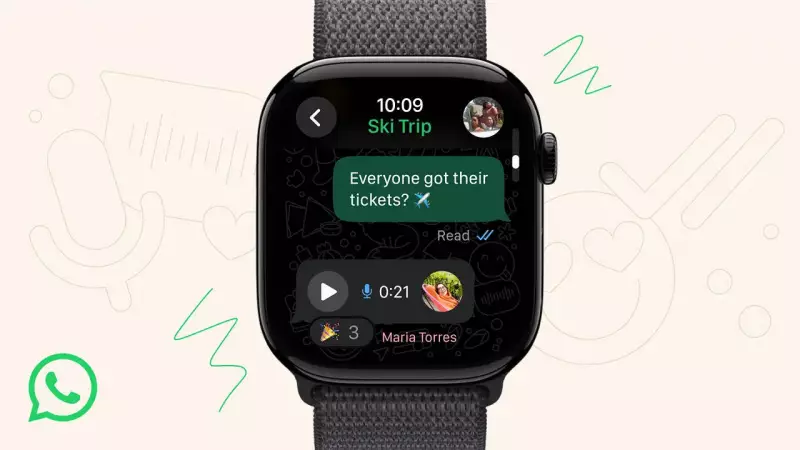
In a significant move that bridges the gap between wearable technology and everyday communication, WhatsApp has officially launched its dedicated application for Apple Watch. This groundbreaking development allows millions of users to stay connected without constantly reaching for their iPhones.
What This Means for Apple Watch Users
The new WhatsApp app brings core messaging functionality directly to your wrist. Users can now read incoming messages, view group chats, and respond to conversations with unprecedented convenience. The interface is optimized for the smaller display while maintaining the familiar WhatsApp experience.
Device Compatibility and Requirements
Before rushing to download, ensure your device meets these essential requirements:

- Apple Watch Series 4 or later models
- watchOS 10.0 or newer version
- iPhone with iOS 14 or later
- Latest version of WhatsApp installed on your iPhone
Key Features You'll Love
The Apple Watch WhatsApp app isn't just a basic notification viewer – it's a fully functional messaging tool. Key capabilities include:
- Real-time message viewing with support for text and emoji
- Quick response options including voice messages and preset replies
- Group chat access to stay updated with family and work conversations
- Seamless synchronization with your iPhone WhatsApp account
Why This is a Game-Changer for Indian Users
For the massive WhatsApp user base in India, this integration represents a significant step forward in wearable technology adoption. The ability to check messages during meetings, workouts, or while driving (without touching your phone) enhances both convenience and safety.
"This development marks a crucial milestone in making wearable technology more practical for everyday communication," says technology analyst Priya Sharma. "Indian users who rely heavily on WhatsApp for both personal and professional communication will find this particularly transformative."
Getting Started with WhatsApp on Your Apple Watch
Setting up the app is straightforward. Simply update your WhatsApp application on iPhone to the latest version, and the companion app will automatically appear on your Apple Watch. The synchronization happens seamlessly in the background, requiring minimal user intervention.
As wearable technology continues to evolve, this integration signals a broader trend toward making smartwatches more independent from smartphones. For now, Apple Watch users can enjoy the freedom of staying connected to their WhatsApp conversations with just a glance at their wrist.






