

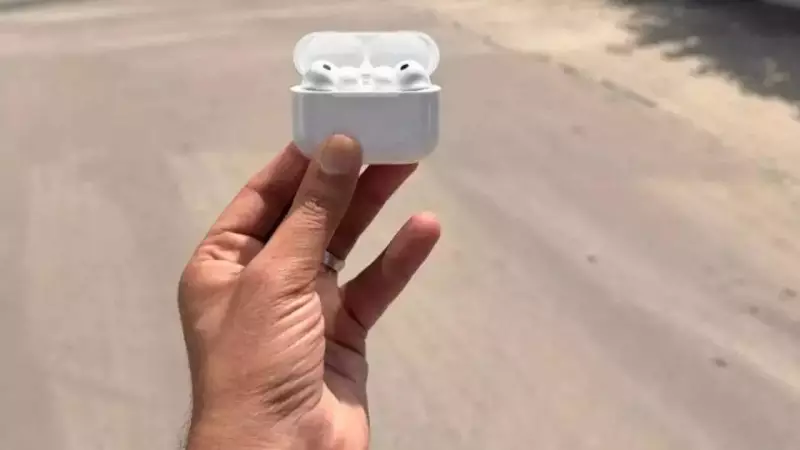
In a significant move to bridge global communication gaps, Apple has unveiled its groundbreaking Live Translation feature in iOS 26. This innovative tool, powered by the company's proprietary Apple Intelligence system, is designed to facilitate seamless, real-time conversations between people speaking different languages, directly through their AirPods.
How Apple's Live Translation Transforms Communication
Unlike conventional translation apps that require manual input and screen interaction, Apple's Live Translation offers a hands-free, natural experience. Whether you are traveling in a foreign country, having a face-to-face chat, or on a phone call, the feature works in the background. You speak normally, and the translated audio is played directly into your AirPods, while the text can also be viewed on your iPhone screen. This integration aims to make cross-lingual interactions as smooth as talking to someone in your native tongue.
What You Need to Get Started
To access this futuristic capability, users will need a specific set of hardware and software. The requirements ensure the complex, on-device processing for real-time translation works flawlessly.

The essential checklist includes:
- Compatible AirPods: You must have AirPods Pro (2nd or 3rd generation) or AirPods 4 with Active Noise Cancellation (ANC).
- A compatible iPhone: An iPhone 15 Pro or a newer model is required.
- The latest software: Your iPhone must be running iOS 26.
- Apple Intelligence: This must be enabled in your iPhone's Settings.
- Apple Translate App: The dedicated app needs to be installed from the App Store.
- Latest Firmware: Your AirPods must be updated to the most recent firmware version.
Setting Up Live Translation in Simple Steps
Getting started with Live Translation is a straightforward process. First, ensure both your iPhone and AirPods are updated to the latest available software and firmware versions. Next, navigate to your iPhone's Settings and turn on the Apple Intelligence toggle. After that, download or open the official Apple Translate app from the App Store. Once your AirPods are paired with your iPhone, launch the Translate app and select the pair of languages you wish to translate between. You are now ready to converse. Simply speak, and the translation will be played through your AirPods or displayed on-screen.
Real-World Applications: Travel, Calls, and Messaging
The utility of Live Translation extends across various everyday scenarios, making it a versatile tool for global citizens.
For in-person conversations, such as asking for directions or ordering food abroad, you can speak in your language. Your iPhone will show the translated text, and the other person will hear the translation from your AirPods' speaker or see your screen, creating a fluid dialogue.
During phone and FaceTime calls, the feature integrates directly into the Phone and FaceTime apps. It translates speech on the fly, allowing you to have a natural conversation with someone speaking another language without any third-party apps.
For text-based communication, the technology also works within the Messages app, providing instant translations of incoming and outgoing texts, ensuring you never miss the nuance in a chat.
This launch underscores Apple's continued push into AI-powered personal technology, aiming to remove one of the most persistent barriers in human interaction. By leveraging the processing power of its latest devices and the sophistication of Apple Intelligence, the company is setting a new standard for real-time, wearable translation technology.






