

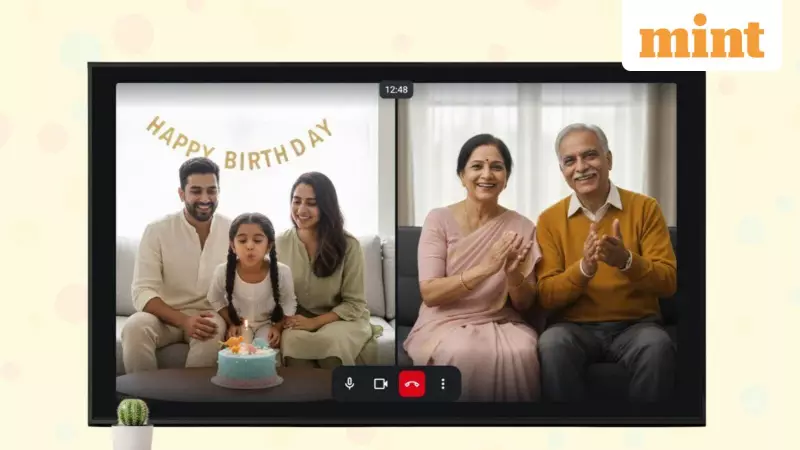
In a significant expansion of its services, the homegrown personal messaging application Arattai is making a major move for the New Year. The app, developed by Zoho Corporation, is now available for Android TV platforms, bringing its communication features to the big screen in Indian living rooms.
Arattai's Big Leap to the Television Screen
The announcement was made by Zoho Chief Scientist Sridhar Vembu via a post on X (formerly Twitter). Vembu revealed the Android TV update and highlighted that the new app version promises a 'much richer video call experience'. He also indicated that more updates are in the pipeline for the app, suggesting that user experience will continue to improve as we move into 2022.
The primary objective of the Android TV app is to facilitate video calls by utilizing the large display of a smart television. This makes it convenient for both professional meetings and personal gatherings, such as celebrating festivals with family.

What Can You Do with Arattai on Android TV?
The newly launched Arattai Android TV app enables users to create, schedule, or join meetings directly from their television. This functionality simplifies attending work-related conferences or connecting with loved ones for special occasions.
To use the app, your smart TV needs to run on Android 7 or a later version. After signing in, navigation is handled through your TV's remote control. A key point to note is that since most smart TVs do not have built-in cameras, Arattai supports external peripherals. Users can connect a USB video camera or microphone to their TV's USB port to enable video and audio for calls.
Step-by-Step Guide to Install Arattai on Your TV
Setting up the Arattai app on your Android TV is a straightforward process. Follow these steps:
- Turn on your Android TV and launch the Google Play Store.
- Use the search function and type 'Arattai'.
- Select the Arattai app from the search results and tap 'Install' to begin the download. Alternatively, if your smartphone uses the same Google account, you can initiate the installation remotely from your phone.
- Once installed, open the Arattai app on your TV. You will see a QR code on the screen instead of a standard phone number login.
- Open the Arattai app on your smartphone, go to Settings > Devices, and scan the QR code displayed on your TV. Your TV app will then sync with your phone account.
- Another method is to visit www.arattai.in/tv on your phone's browser and enter the code shown on your TV screen, followed by clicking 'Verify'.
Before finalizing the login, a consent screen will appear for you to review and confirm details. After signing in, the TV interface will display a list of ongoing and upcoming meetings from your schedule, along with a 'Recorded meetings' section for past sessions.
This move by Zoho represents a strategic push to make its indigenous communication platform more versatile and integrated into daily life, leveraging the comfort and scale of the television for a more immersive calling experience.






