The Hidden Cleaning Power of Your Bathroom Toothbrush
Take a moment to glance behind the keys of your laptop or desktop computer keyboard right now, and you will likely be astonished by what you discover. A surprising array of debris, including food crumbs, fabric lint, and fine dust particles, inevitably accumulates within the narrow spaces between keys over time.
Why Standard Cleaning Methods Fall Short
Most people rely on common disinfectant wipes or aerosol air cans for keyboard maintenance, but these tools only accomplish half the task effectively. While disinfectant wipes excel at sanitizing visible surfaces, their flat, two-dimensional structure cannot penetrate the tight crevices where grime hides. Conversely, aerosol sprays may inadvertently push dust deeper into the electronic components rather than removing it entirely.
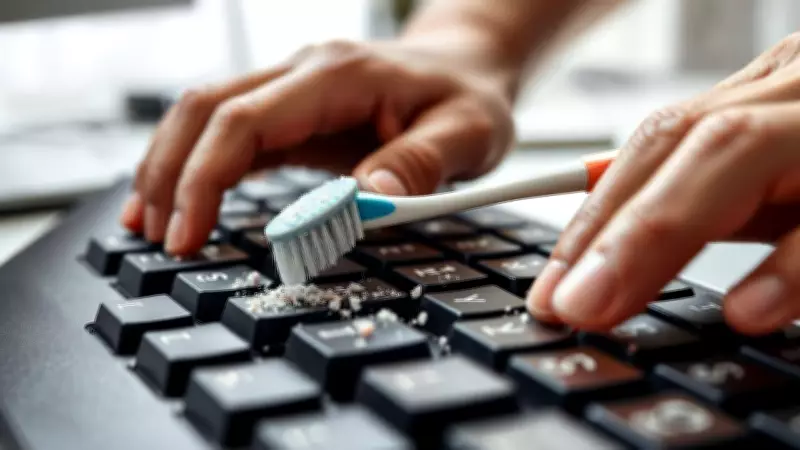
The most efficient device for comprehensive keyboard cleaning is probably already present in your bathroom cabinet: an ordinary manual toothbrush. Although this method appears remarkably simple, its effectiveness is grounded in practical mechanics. The flexible, fine nylon bristles are specifically engineered to access narrow gaps and dislodge debris without causing surface damage.

The Science Behind Bristle Superiority
Modern keyboards feature extremely tight construction tolerances, creating minuscule spaces where dirt and dead skin cells accumulate invisibly. Scientific research into cleaning tools substantiates that mechanical agitation is crucial for thorough cleaning. A notable study titled "The Relative Cleaning Effectiveness of Manual and Powered Toothbrushes" emphasizes that manual bristle motion is highly effective at dislodging particles from complex surfaces.
In keyboard applications, the toothbrush performs the essential work of physically breaking up the sticky "biofilm" and dust that adheres to plastic surfaces. This mechanical action ensures dirt removal before follow-up sanitization with wipes. This dual approach proves particularly valuable in shared environments, as highlighted by research in The Canadian Veterinary Journal, which confirms that sanitizers work optimally only after loose debris has been eliminated.
Practical Tips for Safe and Effective Keyboard Maintenance
Brushing keyboard dust is straightforward, but several techniques can prevent hardware damage:
- Power Down First: Always ensure the device is switched off and disconnected from power sources before cleaning.
- Select Soft Bristles: Choose a toothbrush with soft nylon bristles to avoid scratching surfaces.
- Utilize Gravity: Tilt the keyboard or lay it on its back during brushing, allowing dislodged dust to fall away naturally.
- Apply Circular Motions: Use gentle circular movements while progressing from key to key for comprehensive coverage.
- Spot Treatment: For stubborn areas, lightly dampen bristles with isopropyl alcohol, but avoid letting droplets enter internal circuits.
Economic and Environmental Advantages
This cleaning method distinguishes itself through cost-effectiveness and ecological benefits. Instead of purchasing expensive specialized cleaning gels or disposable air dispensers, you can repurpose an old toothbrush or buy an inexpensive new one dedicated to office desk maintenance. This approach enables frequent keyboard cleaning without significant financial investment, promoting both device longevity and personal hygiene.
Regular maintenance using a toothbrush ensures your keyboard remains high-performing, hygienic, and free from debris that can impair functionality. Embracing this simple, scientifically supported technique contributes to a healthier computing environment while reducing electronic waste from single-use cleaning products.