For millions of Windows users struggling with multi-monitor setups, relief is finally on the horizon. Microsoft's PowerToys team has unveiled an innovative solution that promises to eliminate the frustration of managing multiple displays.
What is PowerDisplay?
PowerDisplay, the new utility teased by Niels Laute, a program manager on the PowerToys team, introduces a revolutionary approach to multi-monitor management. This feature provides a context menu accessible directly from the taskbar, allowing users to independently adjust brightness, contrast, volume, and other essential settings for each monitor.
The timing couldn't be better. While the core Windows team focuses heavily on AI integration, the PowerToys team is addressing real-world productivity challenges that have plagued users for years. This utility specifically tackles the cumbersome process of navigating complex display menus or physically switching between screens to make adjustments.

Seamless Integration with PowerToys Ecosystem
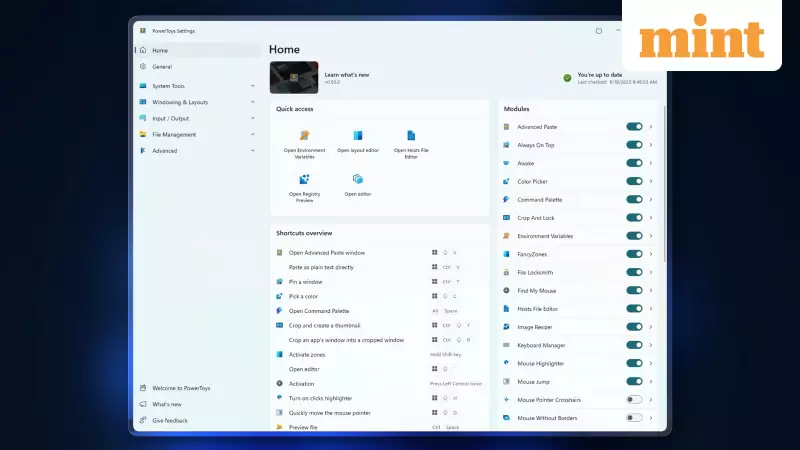
Microsoft PowerToys has established itself as an indispensable suite for enhancing Windows productivity. Popular tools like FancyZones for advanced window snapping and Awake for power management have already won over power users. PowerDisplay continues this tradition of delivering practical solutions.
What makes PowerDisplay particularly compelling is its seamless integration within the existing PowerToys ecosystem. While third-party applications like DisplayBuddy offer similar functionality, PowerDisplay benefits from native integration and the trusted PowerToys framework.
The development process has been particularly interesting. The feature draws from both user feedback and early AI-generated prototypes that have been refined through community collaboration on GitHub.
Release Timeline and Availability
According to Laute's announcement on X, PowerDisplay is scheduled for release in the January 2026 PowerToys update. However, he wisely noted that development timelines might adjust as code reviews and bug fixes continue.
For eager early adopters, the utility's code is already available for testing, indicating rapid progress in development. This transparency and early access demonstrate Microsoft's commitment to community-driven development.
PowerToys has consistently served as an incubation platform for features that eventually influence core Windows enhancements. The window snapping functionality inspired by FancyZones stands as a perfect example of this pipeline in action.
For professionals, students, and anyone relying on multi-monitor configurations, PowerDisplay represents a significant step toward greater efficiency and reduced daily frustration. The ability to quickly adjust display settings without interrupting workflow could save countless hours over time.
PowerToys remains completely free and open-source, available for download through the Microsoft Store or GitHub. Users can prepare their setups now and look forward to the PowerDisplay addition in the coming year.