Microsoft's Groundbreaking Update: Copilot Gets Local Task Capabilities
Microsoft has initiated the rollout of a substantial update to its Copilot application, specifically targeting Windows Insiders. This significant enhancement introduces the innovative Copilot Actions tool, empowering the artificial intelligence to execute tasks directly on local files and applications within a protected, isolated environment.
How Copilot Actions Transforms Your Windows Experience
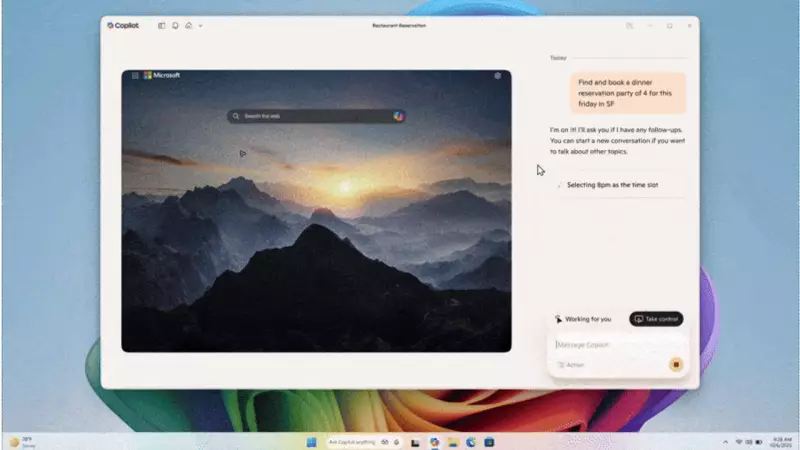
The revolutionary function operates through what Microsoft terms an Agent Workspace, characterized as a contained, policy-controlled, and auditable environment that remains separate from the user's primary interactive session. The primary objective of this development is to enable users to define tasks using natural language, after which the Copilot agent will interact with both desktop and web applications to accomplish them.
As general-purpose agents, Copilot Actions are engineered to manage complex local tasks based on the specific context of the PC. Examples of this heavy lifting capability include:

- Sorting and organizing local files systematically
- Converting between different file formats seamlessly
- Extracting crucial information from PDF documents
Microsoft clarified their approach in an official blog post, stating: We'll be starting with a narrow set of use cases while we optimise model performance and learn. This indicates a cautious, phased implementation strategy.
Availability and Functionality Details
The Copilot app update, identified as version 1.25112.74 and above, has commenced distribution across all Insider Channels via the Microsoft Store. However, the feature is being released gradually to Insiders worldwide, with the notable exception of the European Economic Area (EEA). Consequently, not all users will receive the update simultaneously.
Microsoft emphasizes that they are testing these enhancements with Insiders to ensure a smooth Copilot experience on Windows for all users eventually. To initiate using these new capabilities, users can select Take Action from the drop-down menu in the composer. Alternatively, they can provide Copilot with files or folders by choosing Attach file or Attach folder from the + button.
The process involves Copilot taking a brief period to create a Desktop before commencing work on the assigned task. However, Microsoft has issued an important warning regarding the current experimental nature of Copilot Actions.
Important Considerations and User Guidance
Microsoft explicitly cautioned users that Copilot Actions is an experimental Copilot Labs feature that might make errors or face challenges when dealing with complex interfaces. The company advises users to monitor the AI's work closely and welcomes feedback to improve the overall experience.
Users maintain control throughout the process, with the ability to take over the task at any moment or check the progress of the action, including reviewing what steps have been executed. This transparency ensures users remain informed about the AI's activities on their system.
This development represents a significant step forward in integrating artificial intelligence more deeply into the Windows operating system, potentially transforming how users interact with their computers for routine tasks and file management.