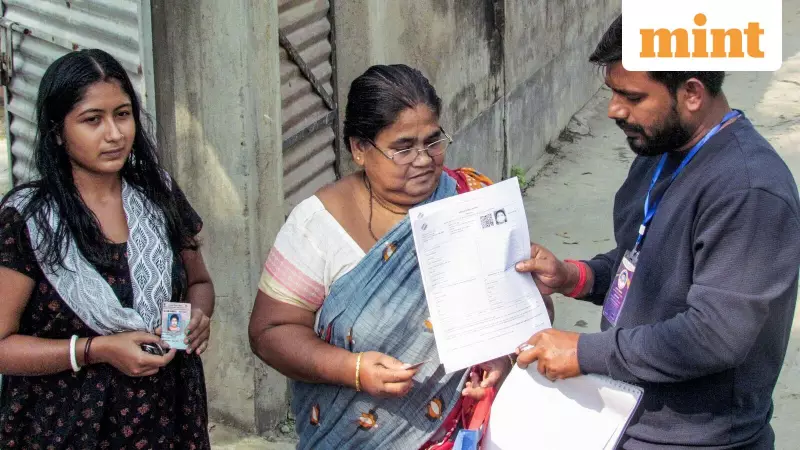
The Special Intensive Revision (SIR) of electoral rolls is currently underway in West Bengal, with citizens actively submitting their Enumeration Forms either online or through Booth Level Officers (BLOs). For those who have completed this crucial step, the Election Commission of India (ECI) has introduced a straightforward online method to verify whether their form has been successfully uploaded to the official portal.
How to Verify Your SIR Form Upload Status
If you have submitted your Enumeration Form and are anxious to confirm its digitization, the ECI portal offers a seamless solution. The entire process can be completed from the comfort of your home, eliminating the need for physical visits to government offices. This digital initiative aims to bring transparency and efficiency to the electoral roll revision process.
Step-by-Step Guide to Check SIR Status
Step 1: Access the Official Portal
Begin by navigating to the Election Commission's official website at voters.eci.gov.in.

Step 2: Locate the Enumeration Section
On the homepage, identify and click on the 'Fill Enumeration Form' option. This action will redirect you to the login or registration page.
Step 3: Account Registration for New Users
If you are accessing the portal for the first time, you must complete the sign-up process. Provide your mobile number, email address, and verify the captcha to create your account.
Step 4: Login for Existing Users
Registered users should select the 'Login' option, enter their mobile number and captcha, then click 'Request OTP'. Enter the one-time password received on your mobile to gain access to your account.
Step 5: Verify Your Identity
Once logged in, your name will be displayed at the top of the page. Confirm that it is correct and proceed by clicking 'Fill Enumeration Form' once more.
Step 6: Enter Your EPIC Number
Input your Electors Photo Identity Card (EPIC) number, commonly known as your voter ID number, into the designated field.
Step 7: Initiate the Search
Click the 'Search' button to retrieve your form submission status.
Step 8: Interpret the Results
If your SIR form has been successfully uploaded by your BLO, you will see a confirmation message stating, "Your form has already been submitted with mobile number XXXXX...". The absence of this message indicates that your form has not yet been uploaded to the system.
Important Considerations for Voters
BLOs have until December 4 to complete the upload of all SIR forms. If your status shows as incomplete before this date, there is no immediate cause for alarm, as BLOs often handle substantial workloads during this period. However, if you encounter discrepancies such as an incorrect mobile number or a 'submitted' status despite not having filed your form, it is crucial to contact your Booth Level Officer without delay.
Voters are encouraged to take screenshots of any relevant on-screen messages and share them with their BLO for clarification or assistance. This proactive approach can help resolve issues efficiently and ensure your inclusion in the revised electoral rolls.