MBOSE SSLC Class 10 Result 2026 Officially Announced
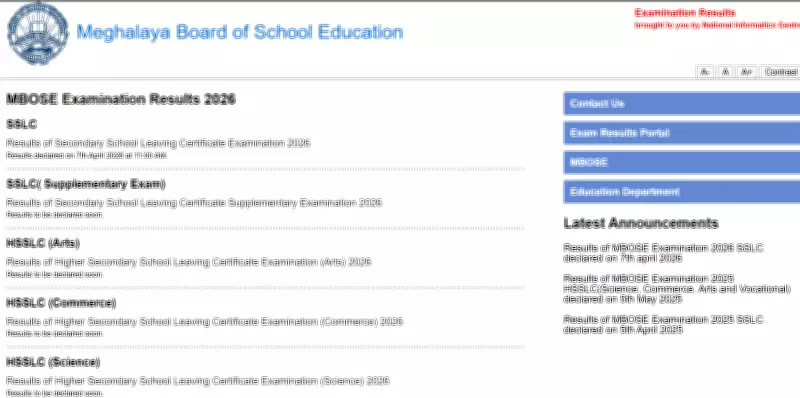
The Meghalaya Board of School Education (MBOSE) has officially declared the SSLC (Secondary School Leaving Certificate) Class 10 results for the academic year 2026. The results were announced today, April 7, at 11 AM through the board's official online portals.
How to Access the MBOSE SSLC Result 2026
Candidates who appeared for the SSLC examinations can now check their results by visiting the designated official websites. It is essential to have your roll number and login credentials ready to access the digital scorecard.
The following official websites are hosting the MBOSE SSLC Result 2026:

- mbose.in
- mboseresults.in
- megresults.nic.in
Details Included in the Online Scorecard
The provisional digital marksheet issued by MBOSE contains comprehensive information regarding the candidate's academic performance. Key details featured on the scorecard include:
- Candidate's full name
- Roll number and registration number
- Name of the school
- Marks obtained in each subject
- Total overall marks
- Division or grade awarded
- Pass or fail status
Important Note: This online scorecard is provisional and will remain valid until the physical certificates are issued by the respective schools. Candidates are advised to download and print a copy for their records and future reference.
Step-by-Step Guide to Download the MBOSE SSLC Result 2026
Follow these clear steps to successfully download your SSLC Class 10 result for 2026 from the official MBOSE websites:
- Navigate to one of the official result portals: mbose.in, mboseresults.in, or megresults.nic.in.
- On the homepage, locate and click on the link labeled "SSLC Result 2026."
- Enter your roll number and any other required login credentials in the designated fields.
- Complete the verification process, which may include entering a captcha code.
- Submit your details to view your personal scorecard on the screen.
- Download the digital marksheet and take a printout for your personal records and any immediate requirements.
Students and parents are encouraged to check their results promptly using the official websites to avoid any last-minute technical issues or website traffic congestion. The MBOSE has streamlined the process to ensure easy and secure access to examination results for all candidates.