Anna University Announces UG and PG Results for 2026 Academic Year
Anna University has officially released the results for the 2026 academic session, covering undergraduate (UG) and postgraduate (PG) programs. The Controller of Examinations made the announcement on March 13, 2026, through the university's official result portal. This release includes examinations conducted in August and September 2025, as well as the November–December 2025 session for regular programs.
How to Access and Check Your Results Online
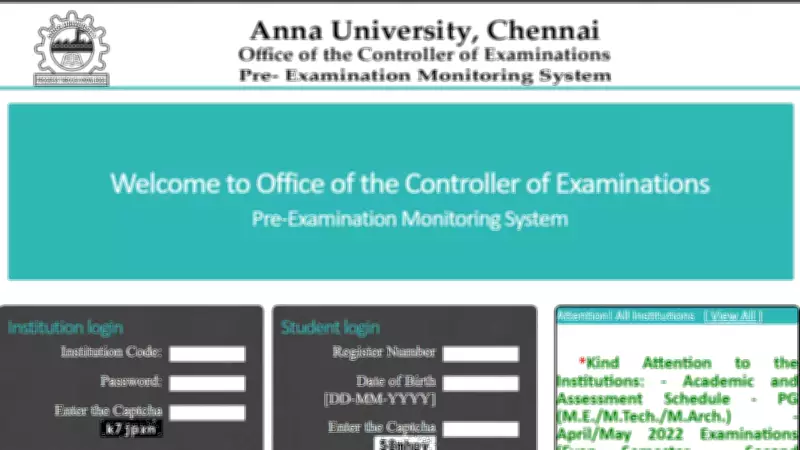
Students who appeared for distance education examinations and special examinations can now view their scorecards online. The results, such as the Anna University engineering results 2025, Anna University 1st semester result 2026, and results for various UG and PG courses, are available on the official portals: https://coe1.annauniv.edu/ and https://www.annauniv.edu/. Candidates can download the provisional marksheet in PDF format by entering their registration number on the result portal.
The marksheet provides detailed information, including the semester, subject code, grade secured in each subject, and the result status—indicating whether the student has passed or failed the examination. Students are advised to carefully review all details on their marksheet. If any discrepancies are found, candidates should immediately contact the examination authority for resolution.

Step-by-Step Guide to Checking Results
To check the Anna University results 2026, students should follow these steps:
- Visit the official website of the Controller of Examinations.
- Select the link for the August and September 2025 and November–December 2025 examinations for UG, PG, and Ph.D. programs.
- On the result page, enter your registration number and the captcha code displayed on the screen.
- After submitting the information, the subject-wise grades and result status will appear on the screen.
- Download the scorecard for future reference by saving it as a PDF file.
Common Issues and Troubleshooting Tips
If a result does not appear on the portal, several factors may be responsible. Entering an incorrect registration number is one of the most common reasons. Students should verify the registration number printed on their hall ticket before re-entering it. Heavy traffic on the result portal can also cause delays due to server load; in such cases, trying again after a few hours is recommended.
In some instances, results may be withheld because of fee arrears, document verification issues, or malpractice inquiries. If a candidate was absent for a paper, the result will display “AB” for that subject. For technical issues, students may try clearing their browser cache or accessing the portal using another browser or device. For unresolved concerns, contact the university’s IT support at acoeud@annauniv.edu.
Revaluation and Photocopy Application Process
The process for re-evaluating and obtaining photocopies of answer sheets is as follows. Students can apply for a photocopy of their answers before requesting revaluation. The application window for photocopies is open from March 10, 2026, to March 15, 2026.
Applications must be submitted through the respective study centres or college examination cells. After reviewing the photocopy, eligible students can apply for revaluation through the examination services section on the official result portal. The revaluation fee ranges between Rs. 300 and Rs. 750 per subject, depending on the course and regulation. Revaluation results will be published on the same portal within a few weeks.
This comprehensive release ensures that all students have timely access to their academic outcomes and necessary support for any follow-up actions.